Your agent
knows your
workspace.
Connect Claude Code, Cursor, Codex or VS Code to SaaSFunnels. Your agent can check events, read results and plan an install, and it can never publish a Funnel.
14 days of Traction · No card required
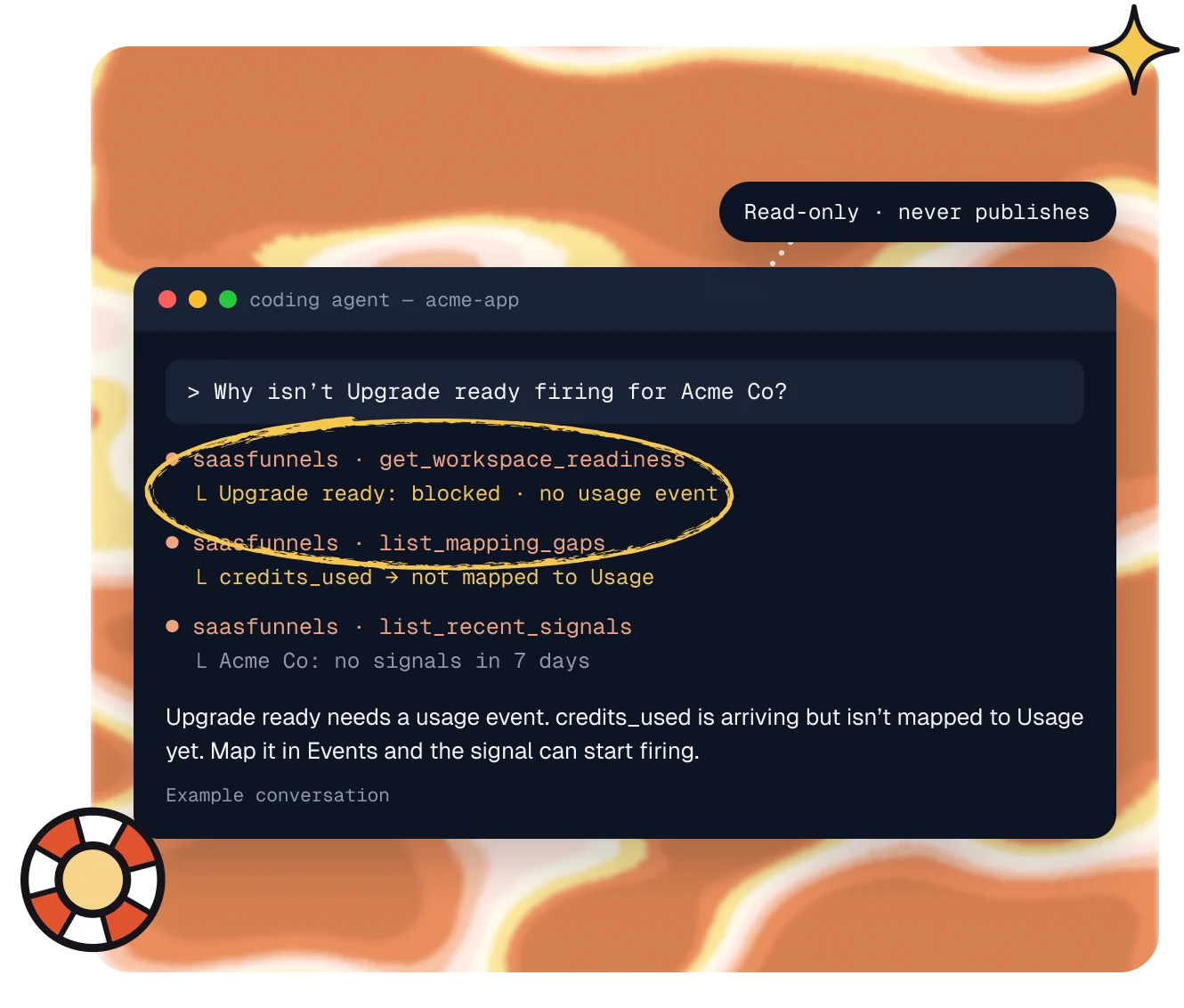
Connect once.
Ask anything.
1 · Connect
One line to connect.
Add the server with one command or a short config, then sign in with your SaaSFunnels account.

2 · Ask
Ask in plain words.
Your agent picks the right tools: readiness, mapping gaps, recent signals, results and more.

3 · Stay safe
Read-only by default.
The hosted server can’t write. Local writes stay off until you turn them on, and nothing ever publishes.

Tools
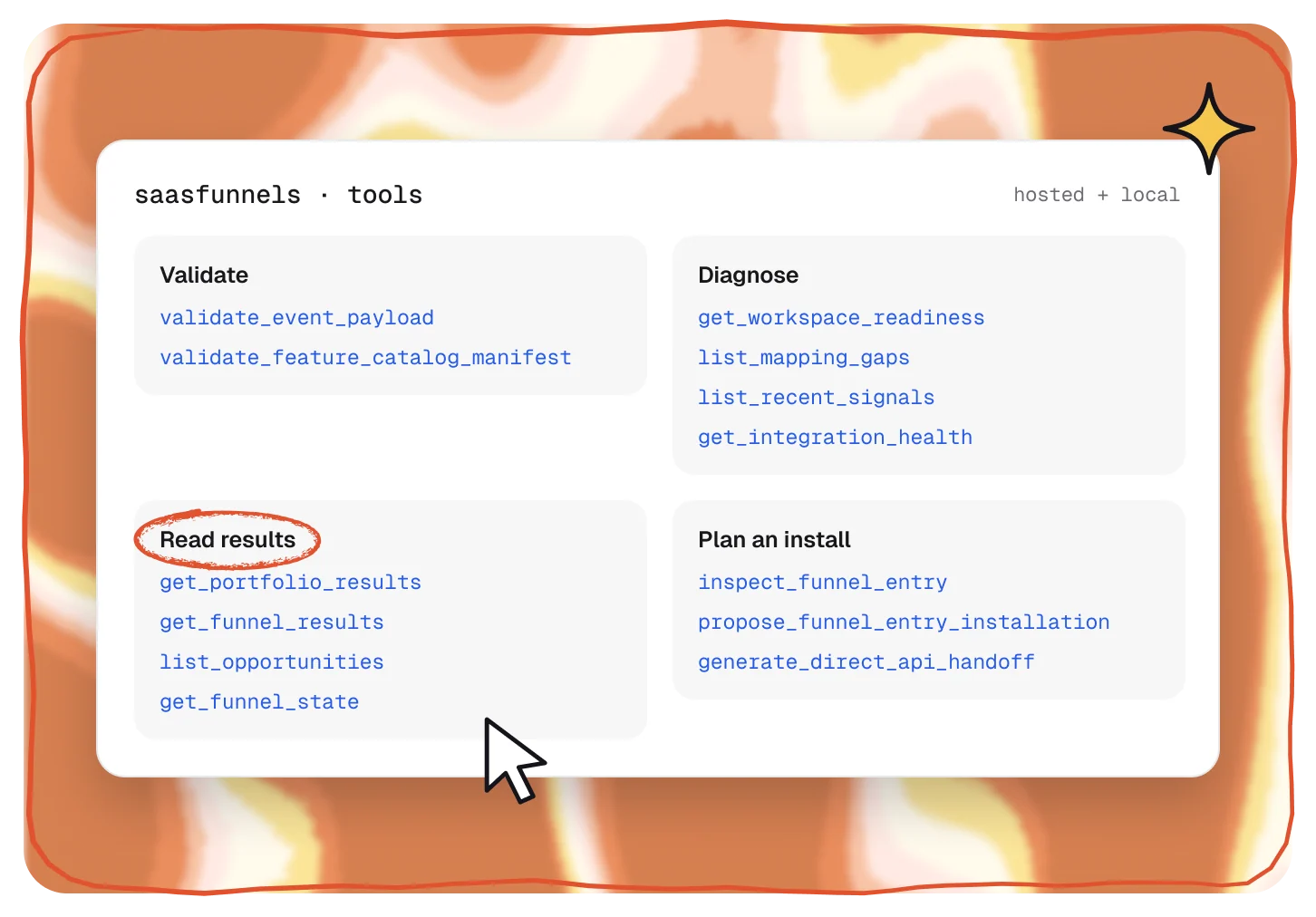
Tools your agent can call.
Check payloads, find mapping gaps, preview signals, read Funnel results and opportunities, and plan where a Funnel should be installed.
- Event and catalog validation
- Readiness, mapping gaps and recent signals
- Results, opportunities and Funnel state, read-only
Safe by design
It reads. You publish.
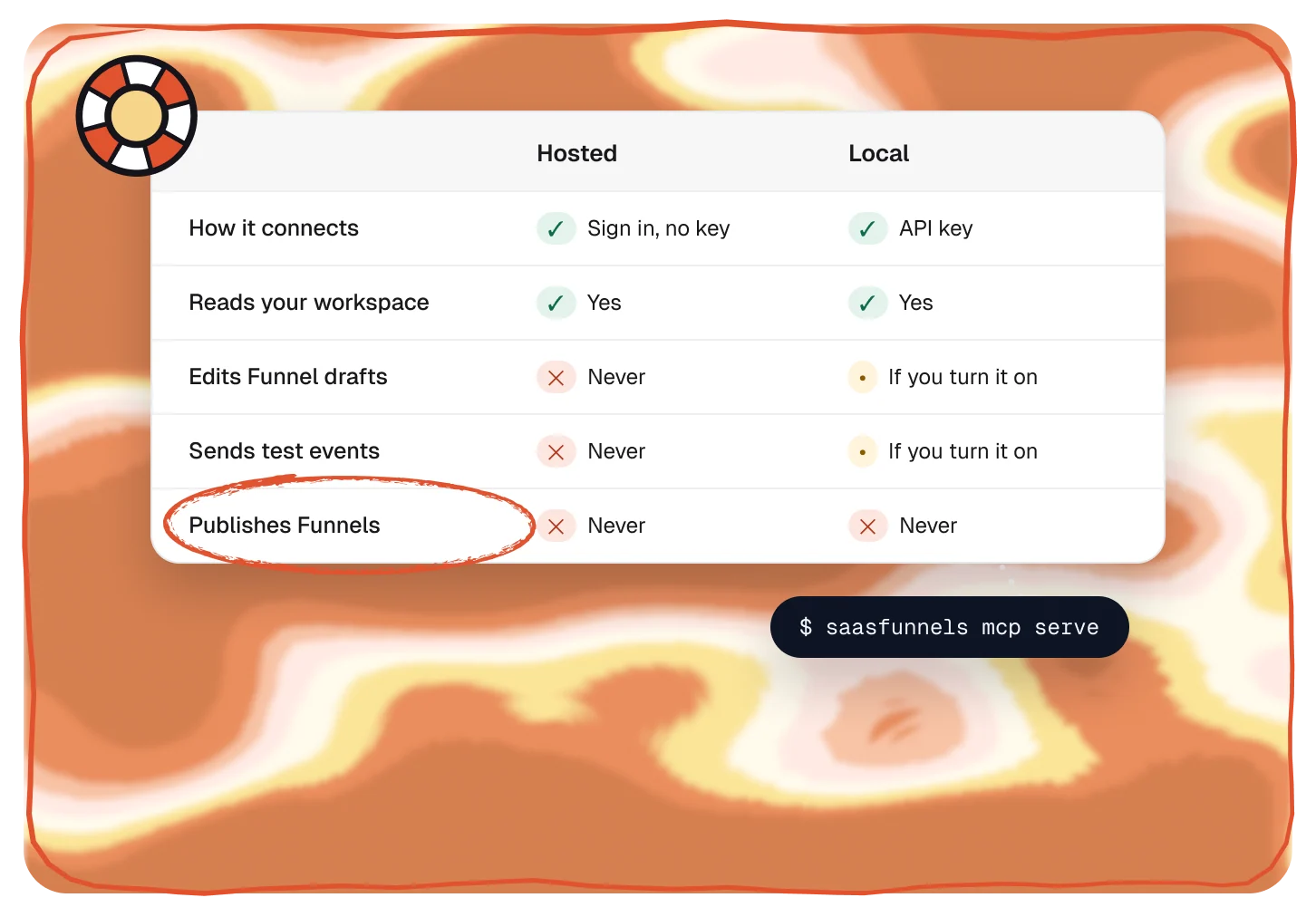
The hosted server is read-only and leaves out personal details. Run it locally to let your agent edit Funnel drafts, and only if you switch that on.
- Hosted: read-only, signs in with your account
- Local: writes off unless you enable them
- Funnel changes stay in drafts, never published
Connect
Works with your AI tools.
Hosted at app.saasfunnels.ai/mcp. Sign in, no API key.
Read the docs →Claude Code
claude mcp add --transport http saasfunnels https://app.saasfunnels.ai/mcpOne command
Cursor
"url": "https://app.saasfunnels.ai/mcp"Add to mcp.json
VS Code
"type": "http"Add to settings.json
Codex
Plugins → MCPs → custom MCPPaste the URL
Pairs well with.
All featuresCLI
Set up, validate and verify from your terminal.
Developers
See the CLISetup
Connect Stripe, install with your coding agent, review drafts.
Get started
See how setup worksSignals and events
Product events become signals for who’s ready.
Spot
See Signals and events
Questions,
answered.
Can the MCP server change my workspace?
The hosted server can’t: it only reads. Run it locally and you can let it edit Funnel drafts, but it can never publish.
Which AI tools does it work with?
Claude Code, Cursor, Codex and VS Code, plus any client that supports MCP over HTTP.
How does it sign in?
The hosted server signs in with your SaaSFunnels account, so there’s no API key. The local server uses an API key from your workspace.
Does it share customer data?
The hosted tools leave out what an agent doesn’t need, like a Lead’s personal details and the money values on Opportunities.
Hosted or local: which should I use?
Hosted for reading and checking, with nothing to install. Local when you want your agent to edit Funnel drafts or send test events, which you switch on yourself.