“Not now”
isn’t “no”.
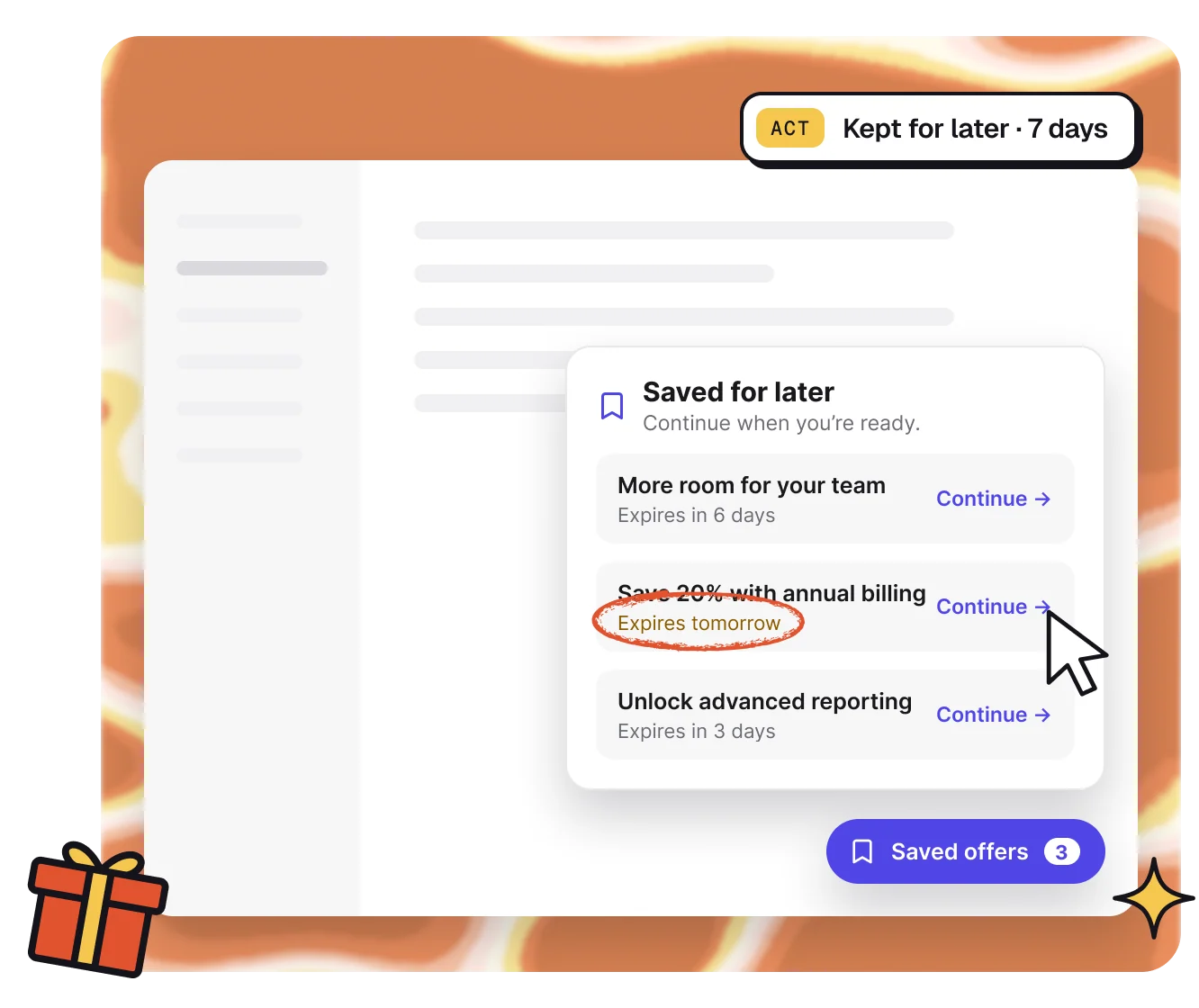
When a customer isn’t ready, they can keep an offer for later. It waits in a small widget in your app, with a clear expiry, until they come back to it.
14 days of Traction · No card required
Saved,
not lost.
1 · Keep
Keep for later.
Customers save a Funnel and pick up from the same step. Saves expire after 7 days unless you change it.

2 · Ask
Ask why, once.
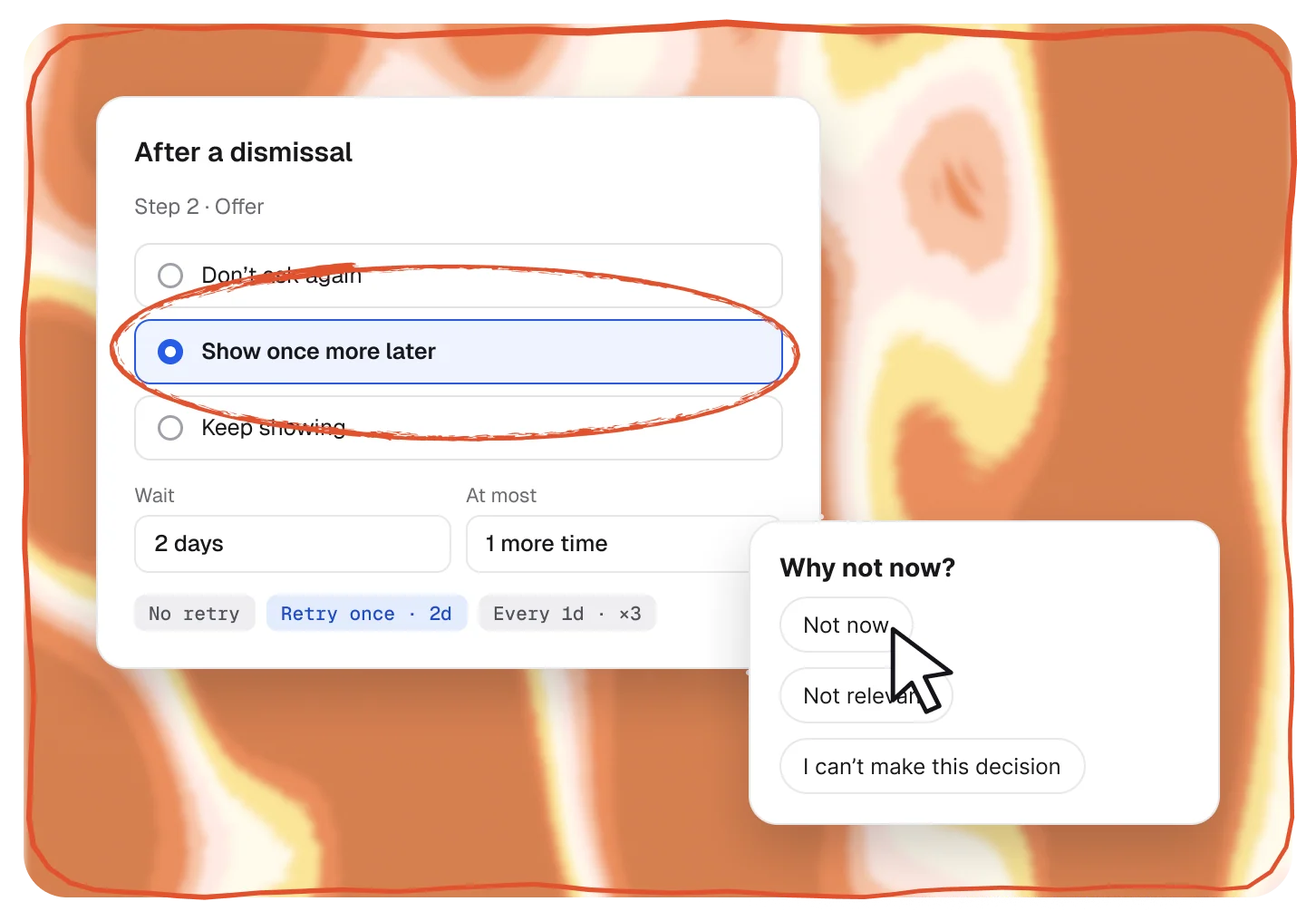
An optional quick reason after a dismissal: Not now, Not relevant, or I can’t make this decision.

3 · Return
Come back on cue.
Show a step once more later, keep showing it, or never ask again, with the delay you choose.
Follow-ups
Polite follow-ups, step by step.
For each step, choose what happens after a dismissal: don’t ask again, show it once more later or keep showing it, with a delay and a limit.
- Don’t ask again, show once more, or keep showing
- Delays in minutes, hours, days or weeks
- A cap on how many times anyone is asked
The widget
Your look, your placement.
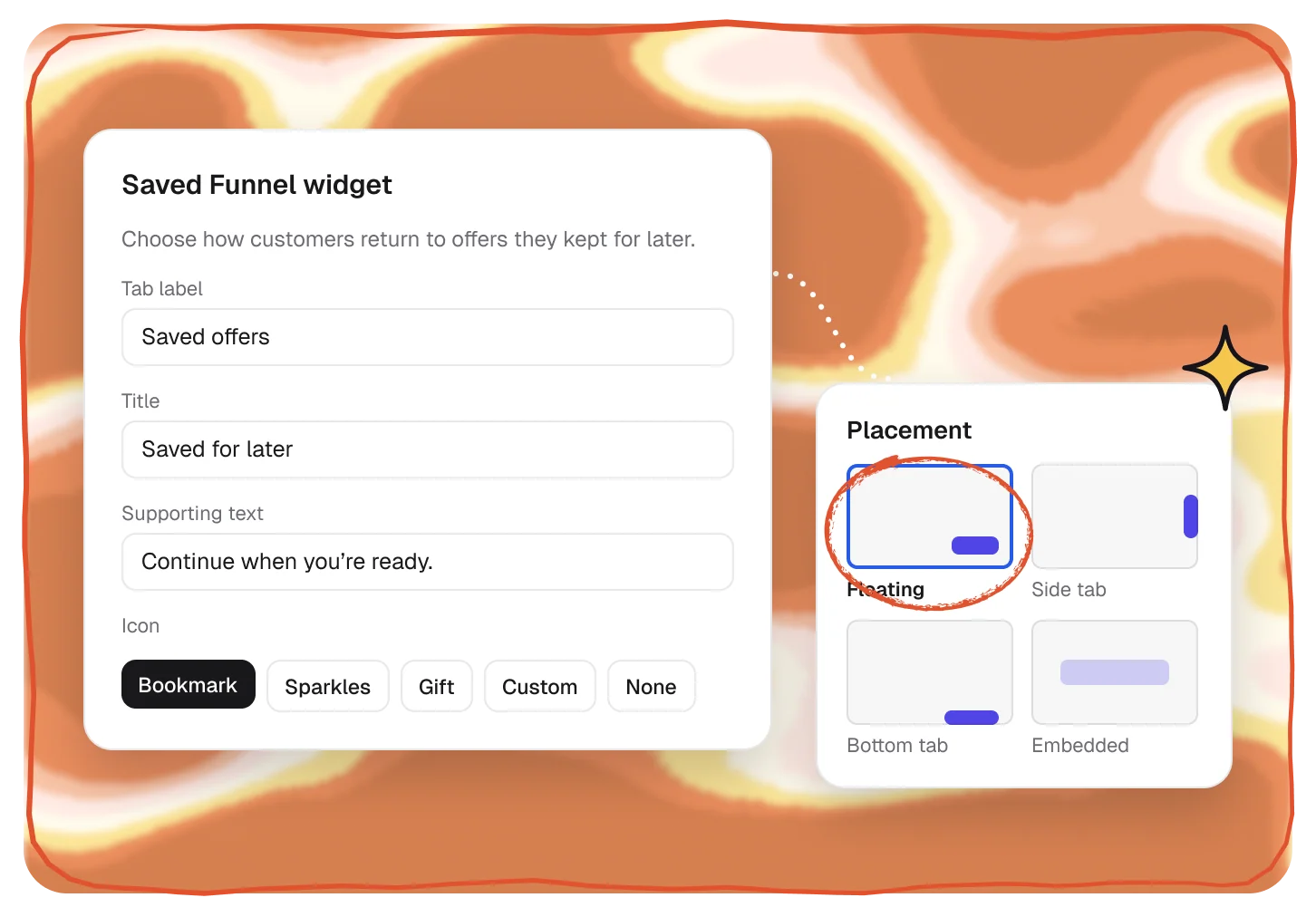
Match the widget to your app: a floating button, a side or bottom tab, or embedded in your page, with your icon, colors and words. Or open it from your own menu.
- Floating, side tab, bottom tab or embedded
- Bookmark, sparkles, gift or your own icon
- Open it from your app with one call
Plans
The Funnel widget starts on Traction.
Follow-ups after “Not now” are on Traction and Scale too.
Compare plans →Builder
Not included
—
Launch
Not included
—
Traction
Included
Widget + follow-ups
Scale
Included
Widget + follow-ups
Pairs well with.
All featuresFunnels
Turn a moment into the right offer, in your app.
Act
See FunnelsOffers in Stripe
Upgrades, discounts and pauses, applied in Stripe.
Act
See OffersExperiments
A/B tests and control groups on any Funnel.
Prove
See Experiments
Questions,
answered.
What happens when someone clicks “Not now”?
That depends on the step. It can stay quiet, come back once later, or keep coming back on a schedule you set. With Keep for later on, the offer also waits in the widget until it expires.
How long are saved offers kept?
7 days by default. You can set anything from 1 to 366 days.
Can I change how the widget looks?
Yes: its label, title, icon, size and colors, and where it sits, from a floating button to a side or bottom tab.
Can I open it from my own menu?
Yes. Hide the launcher and open saved offers from a button in your app with one call.
Which plans include the widget?
Traction and Scale. Follow-ups after “Not now” are on those plans too.