See who’s
ready before
they act.
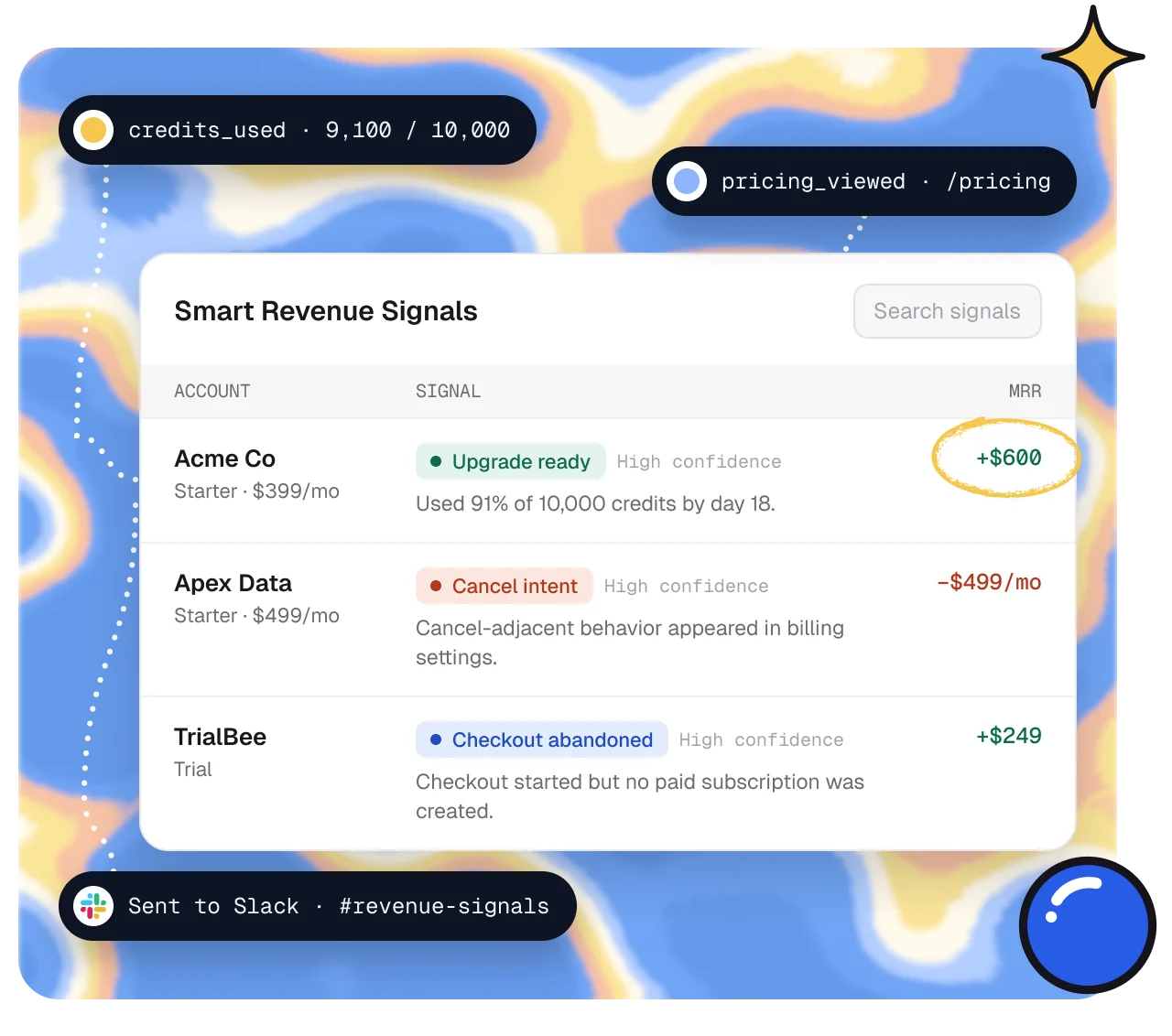
Smart Signals read product usage, page views and Stripe billing on every account, then flag who’s ready to upgrade, likely to cancel or stuck before paying. Each one comes with the reason and a next step.
14 days of Traction · No card required
From raw events
to the next move.
1 · Collect
Every source on one account.
Stripe billing, events from your app and website, and data from PostHog or Customer.io land on the same account.

2 · Score
Scored, with the reason.
Each signal says what happened, how strong the evidence is and what it’s worth, like “Used 91% of 10,000 credits by day 18.”

3 · Route
Sent to the next move.
Show a Funnel at the right moment, or send the signal to Slack, HubSpot, Customer.io or a webhook.

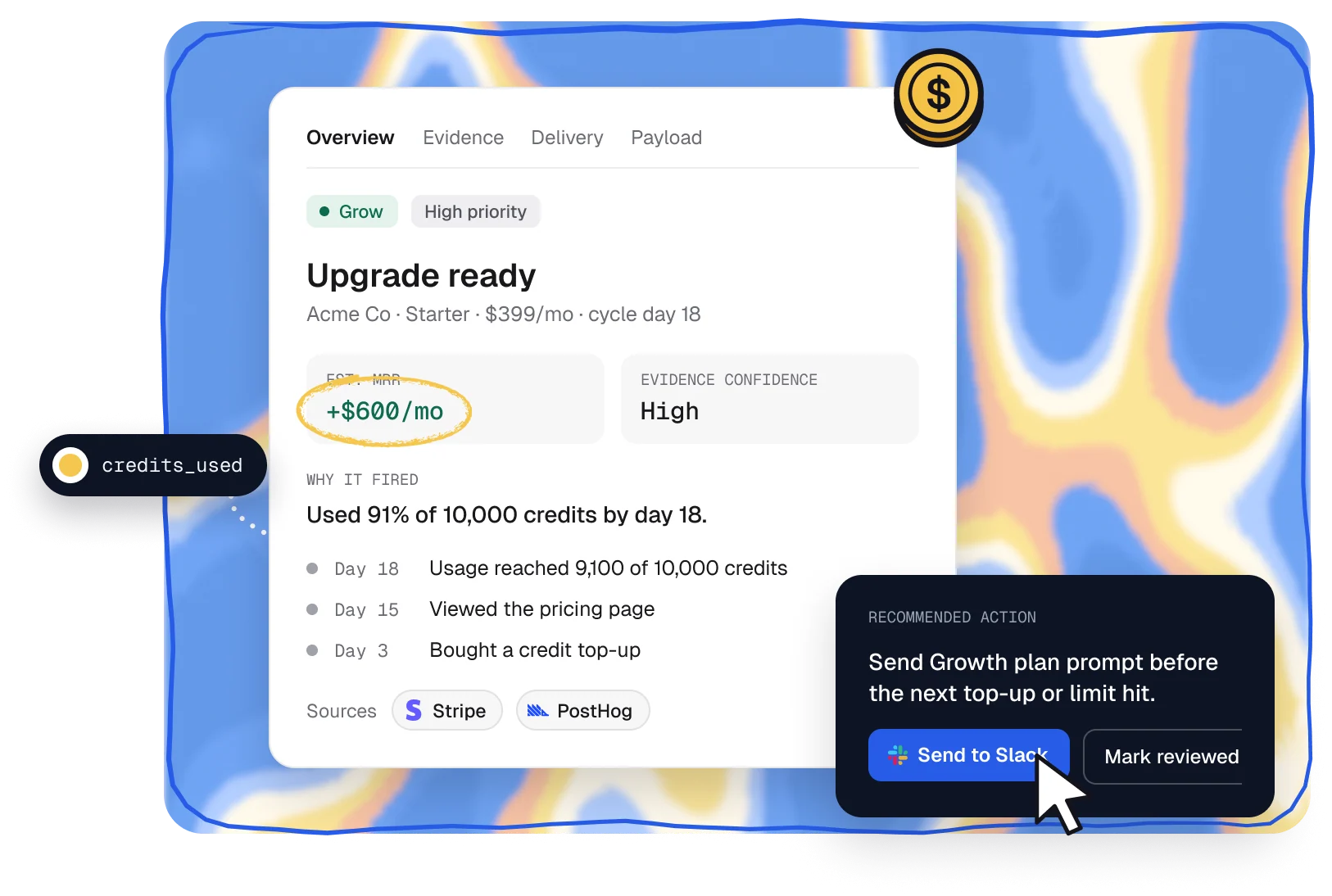
Why it fired
Know why, not just who.
Every signal shows the evidence behind it: the events, the billing context and a timeline, plus a recommended next step your team can act on.
- Grow, Save, Convert and Watch signals in one queue
- Estimated MRR and evidence confidence on every signal
- Save signals hold back upgrade prompts for at-risk accounts
Event stream
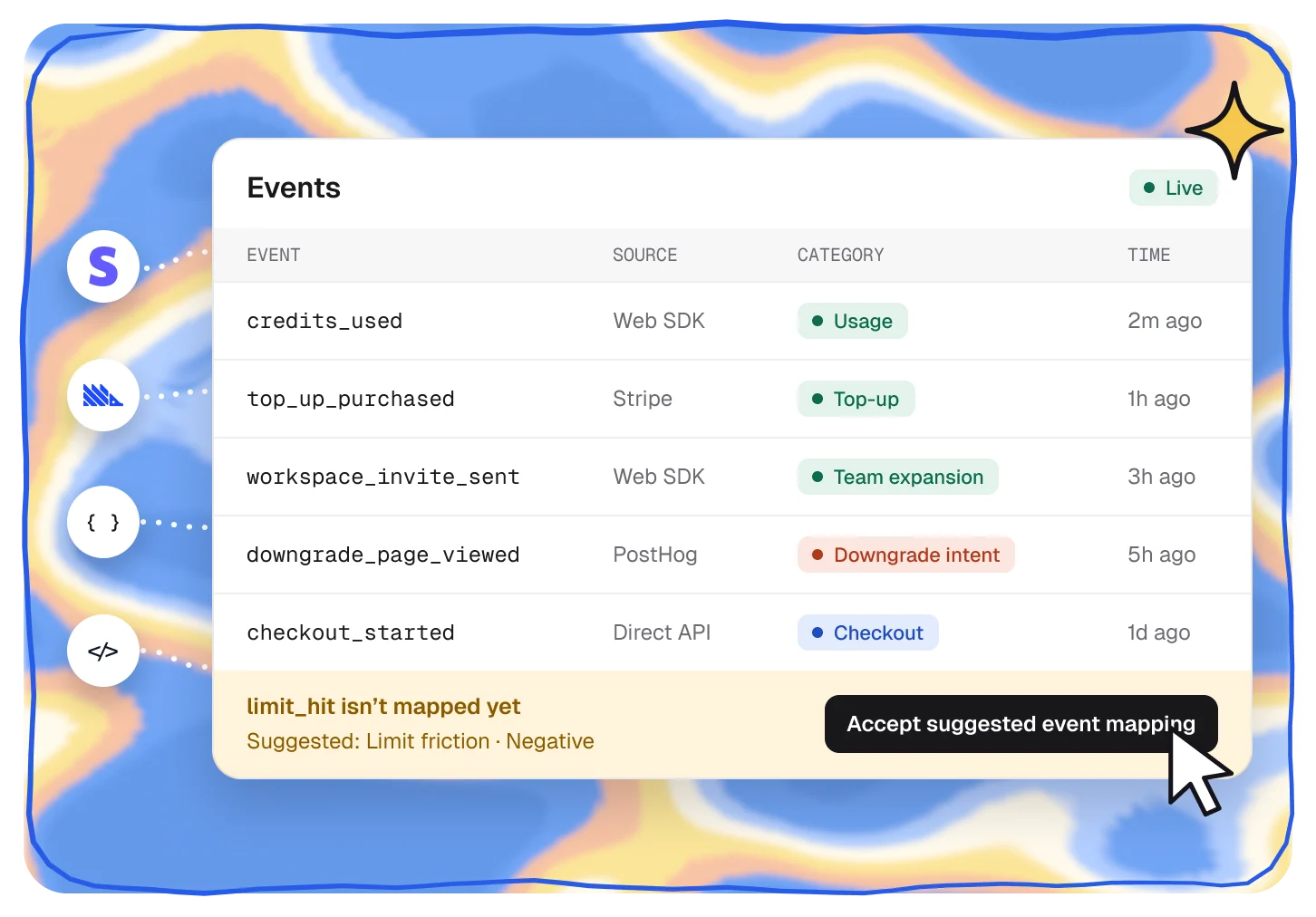
Raw events, sorted for revenue.
Every event lands in a live log with its source. Accept a suggested mapping and it starts feeding signals and Funnel targeting.
- Web SDK, Direct API, Stripe, PostHog or Customer.io
- Suggested mappings you accept in one click
- Positive, neutral or negative, marked on every event
Signal settings
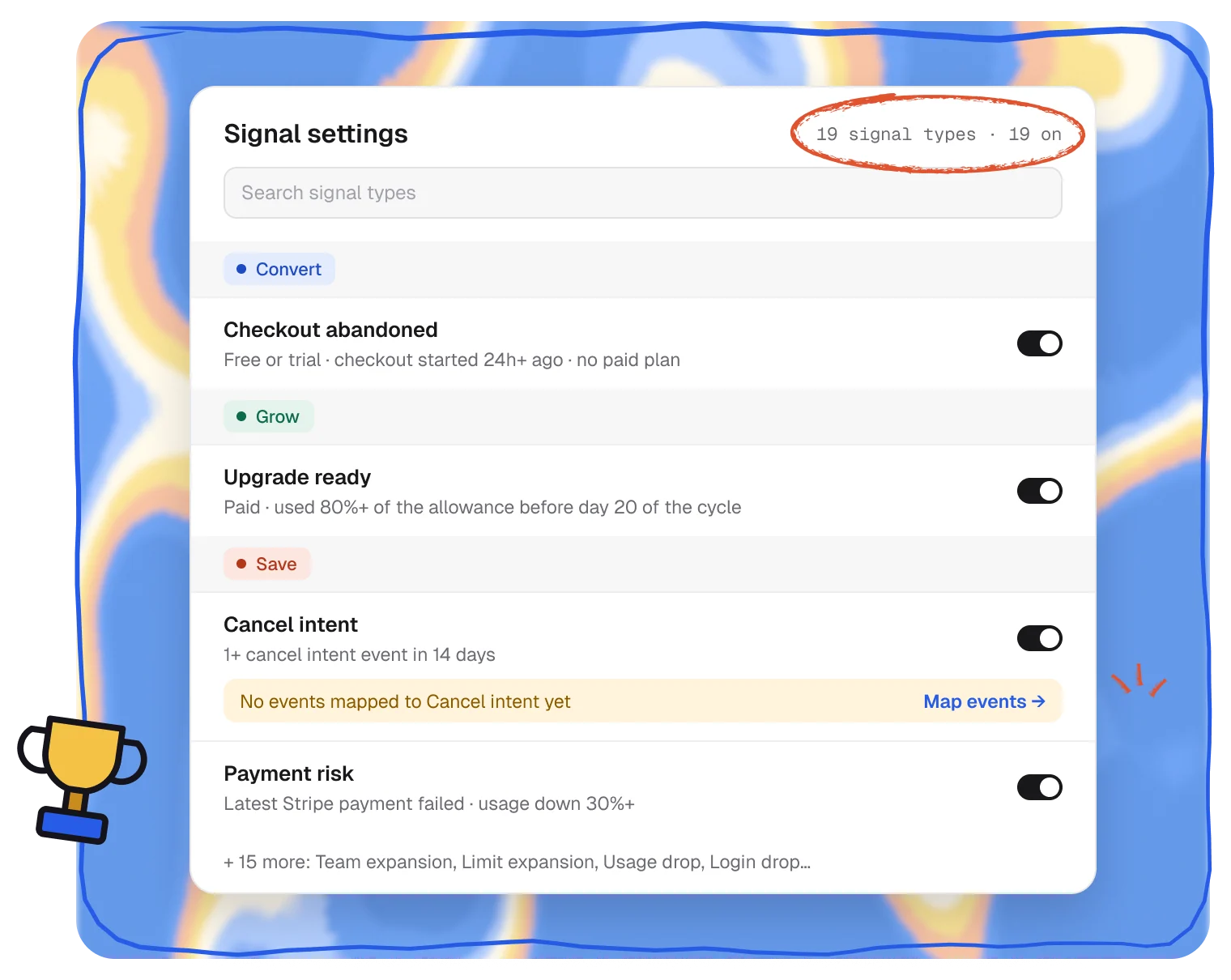
19 signals on day one.
Signals for conversion, growth and churn risk come built in. Each one spells out exactly what triggers it, and you can switch any of them off.
- 5 Convert, 7 Grow and 7 Save signals, all on by default
- Plain rules, like “used 80%+ of the allowance before day 20”
- Shows which events to map when a signal can’t fire yet
Plans
Signals and events are on every plan.
Plans differ by how many events you send each month.
Compare plans →Builder
Included
10,000 events/mo
Launch
Included
25,000 events/mo
Traction
Included
100,000 events/mo
Scale
Included
250,000+ events/mo
Pairs well with.
All featuresAccounts and leads
Every account, user and lead on one timeline.
Spot
See Accounts and leadsFunnels
Turn a signal into the right offer, inside your app.
Act
See FunnelsRevenue attribution
See what each signal earned, confirmed by Stripe.
Prove
See Revenue attribution
Questions,
answered.
Where does signal data come from?
Stripe for billing, plus product events sent from your app or website with the Web SDK or Direct API. You can also bring in PostHog or Customer.io data you already collect.
Do I need to send product events?
For most signals, yes. Stripe adds the plan, billing cycle and payment context, and product events show how each account uses your app. Signal settings show which events a signal is still waiting for.
Can I turn signals off?
Yes. Each of the 19 built-in signals has its own switch in Signal settings, next to the rule that triggers it.
Where can signals go?
Into a Funnel, to decide when it starts or who qualifies, and out to Slack, HubSpot, Customer.io or a signed webhook.
Which plans include Smart Signals?
Every plan, Builder included. Plans differ by how many events you send each month, from 10,000 on Builder to 250,000 or more on Scale.