Not a popup.
A Funnel.
Short, multi-step journeys that ask, offer and confirm, inside your app or on your site. Start from a template, choose when it starts and who qualifies, then publish a versioned release.
14 days of Traction · No card required
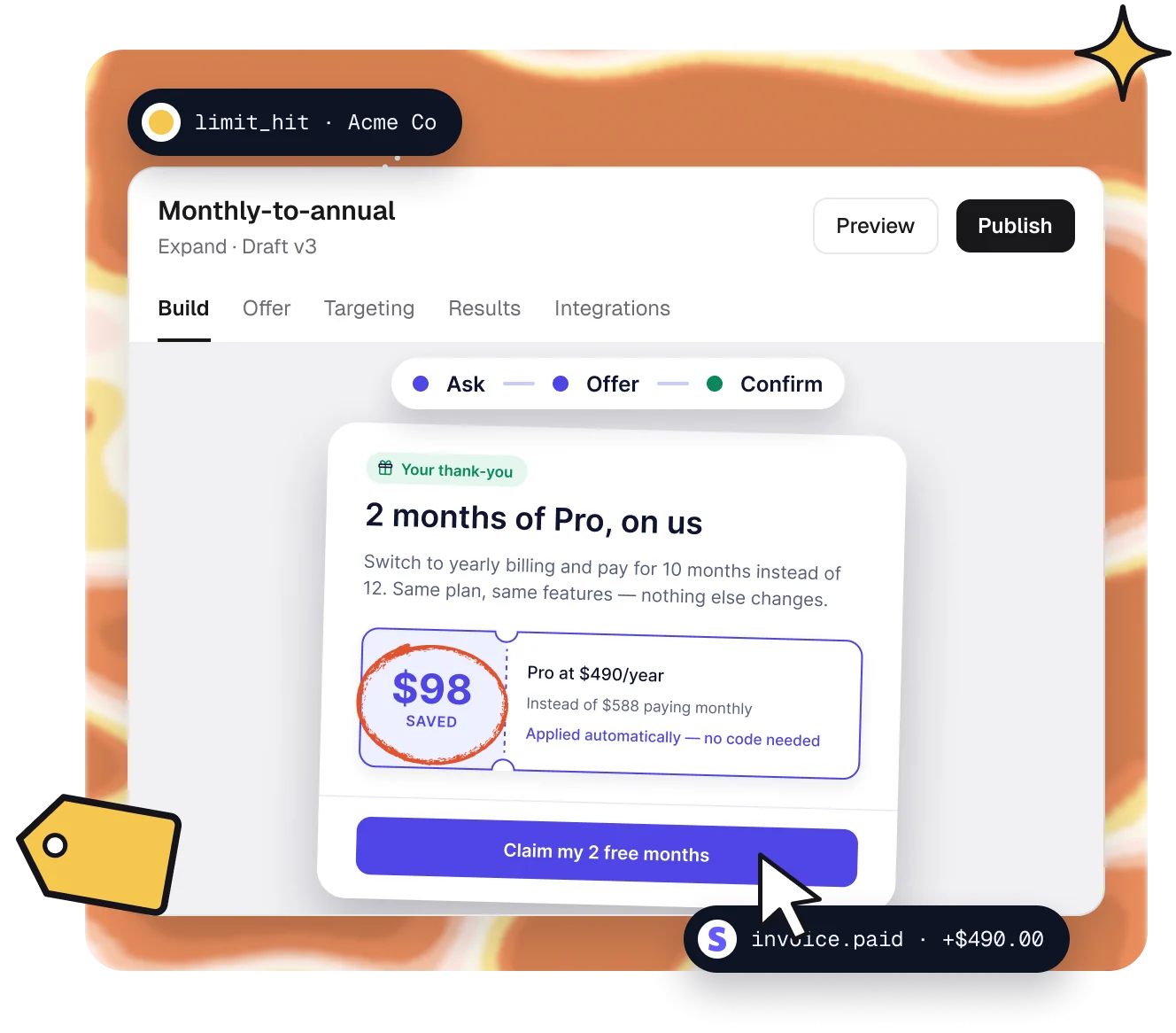
Build it, aim it,
ship it.
1 · Start
Start from a template.
Pick one of 25 templates, start blank or describe it to Copilot. Each comes with real copy, art and your plans.

2 · Aim
Choose when and who.
Start on a product event, page visit, click, exit intent or inactivity. Narrow who qualifies by plan, usage or signal.

3 · Ship
Publish a version.
Preview, test, then publish a versioned release. Caps and cooldowns keep it from nagging.

Targeting
Right moment, right account.
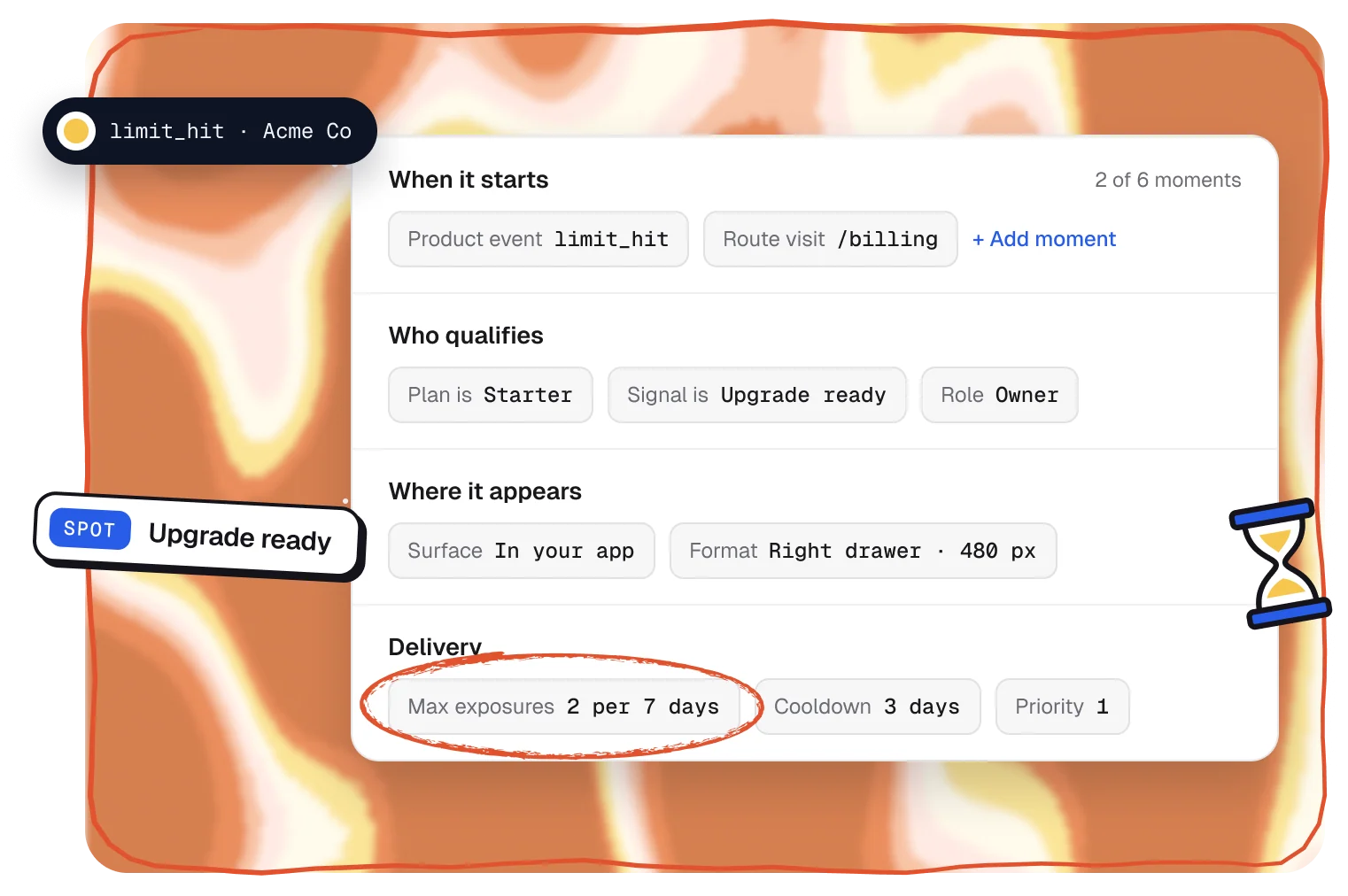
Pick up to six moments that can start a Funnel, from a product event to exit intent. Then set who qualifies and how often anyone sees it.
- Events, page visits, clicks, scroll depth or inactivity
- Who qualifies: plan, usage, traits or a Smart Signal
- Caps and cooldowns, like 2 views per 7 days
Formats
Any surface, one builder.
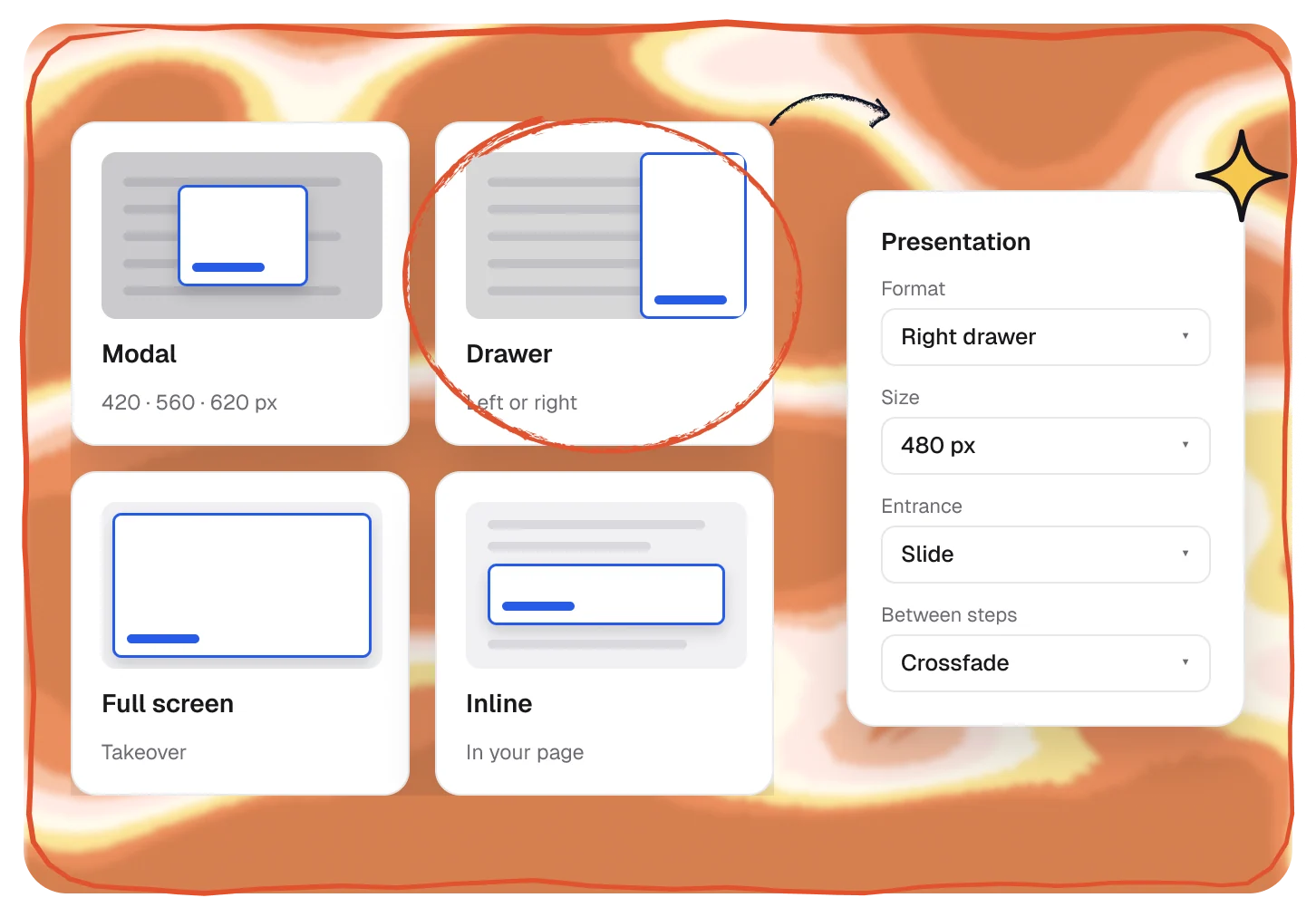
Show a step as a modal, a side drawer, a full-screen takeover or inline in your page, and choose its size and how it moves in.
- Modal, drawer, full-screen and inline steps
- Sizes, positions and entrance animations
- Follow up after “Not now” with the Funnel widget
Elements
Every element a Funnel needs.
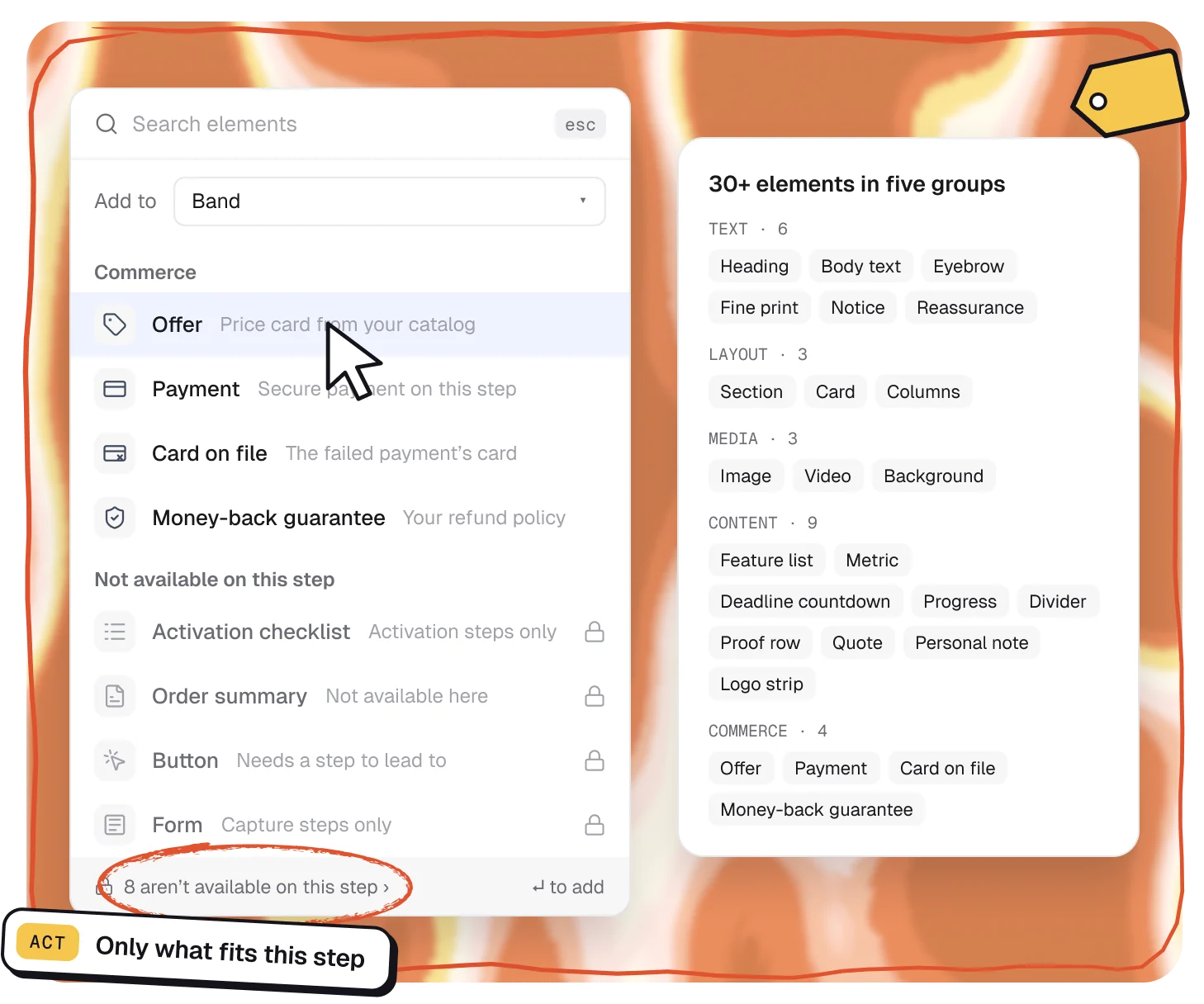
Add text, layout, media, content and commerce elements from one picker. It knows what each step can hold, so you never put a payment form where it can’t work.
- Offers priced from your catalog, payment and card on file
- Countdowns, proof rows, quotes and personal notes
- Only shows what works on the step you’re editing
Plans
Funnels are on every plan.
Unlimited Funnels. Follow-ups and the Funnel widget start on Traction.
Compare plans →Builder
Included
Unlimited Funnels
Launch
Included
Unlimited Funnels
Traction
Included
+ follow-ups and widget
Scale
Included
+ follow-ups and widget
Pairs well with.
All featuresTemplates
25 Funnels drafted from your real plans.
Act
Browse templatesAI Funnel Copilot
Draft and edit Funnels by describing them.
Act
See CopilotOffers in Stripe
Upgrades, discounts and pauses, applied in Stripe.
Act
See Offers
Questions,
answered.
Do I need engineers to add a Funnel?
One script install. After that you build, test and publish Funnels in the Studio without code. Inline steps need a spot set aside in your app.
Where can Funnels appear?
In your app or on your website, as a modal, a side drawer, a full-screen takeover or inline in your page.
Can it match my brand?
Yes. Set your colors, fonts, corners and logo once in the brand kit and every new Funnel uses them. The built-in art is drawn in your colors too.
How do I keep Funnels from annoying customers?
Cap how often each Funnel shows, like 2 views per 7 days, add a cooldown, set priorities so one Funnel shows at a time, and let people keep an offer for later.
Which plans include Funnels?
Every plan includes unlimited Funnels. Follow-ups after “Not now” and the Funnel widget start on Traction.