Every revenue
moment, in
one pipeline.
When a live Funnel finds revenue potential in an account, it becomes an Opportunity. Follow it from detected to converted, with estimated MRR, money at risk and what Stripe verified.
14 days of Traction · No card required
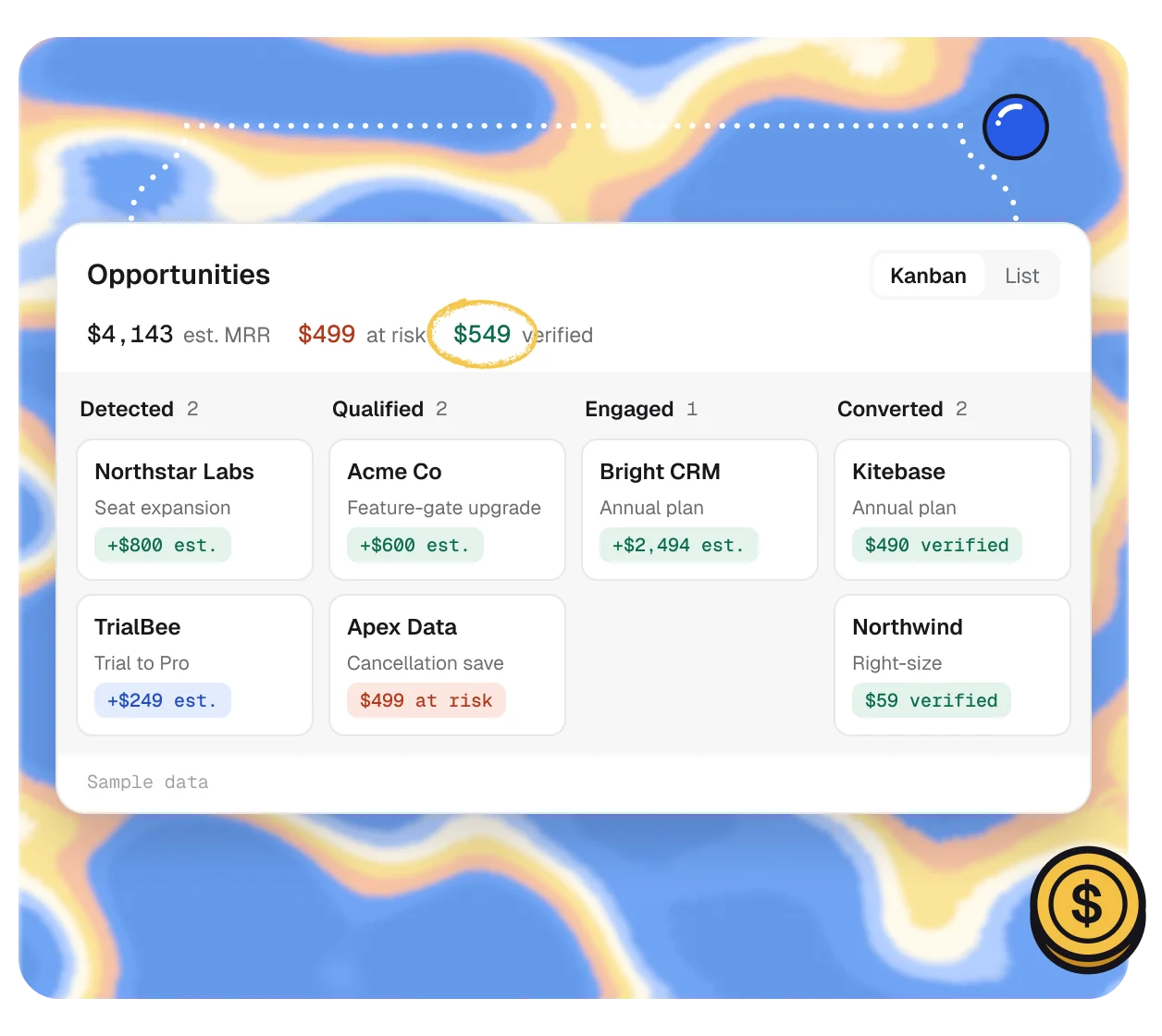
Detected to
verified.
1 · Detect
Found by your Funnels.
A live Funnel spots an account that fits, using its signals, plan and usage.

2 · Work
Act, or let it run.
Assign an owner and open a preview, or let the Funnel reach the customer on its own.

3 · Close
Counted when it’s real.
Converted means Stripe confirmed it. Reversals come off the total.

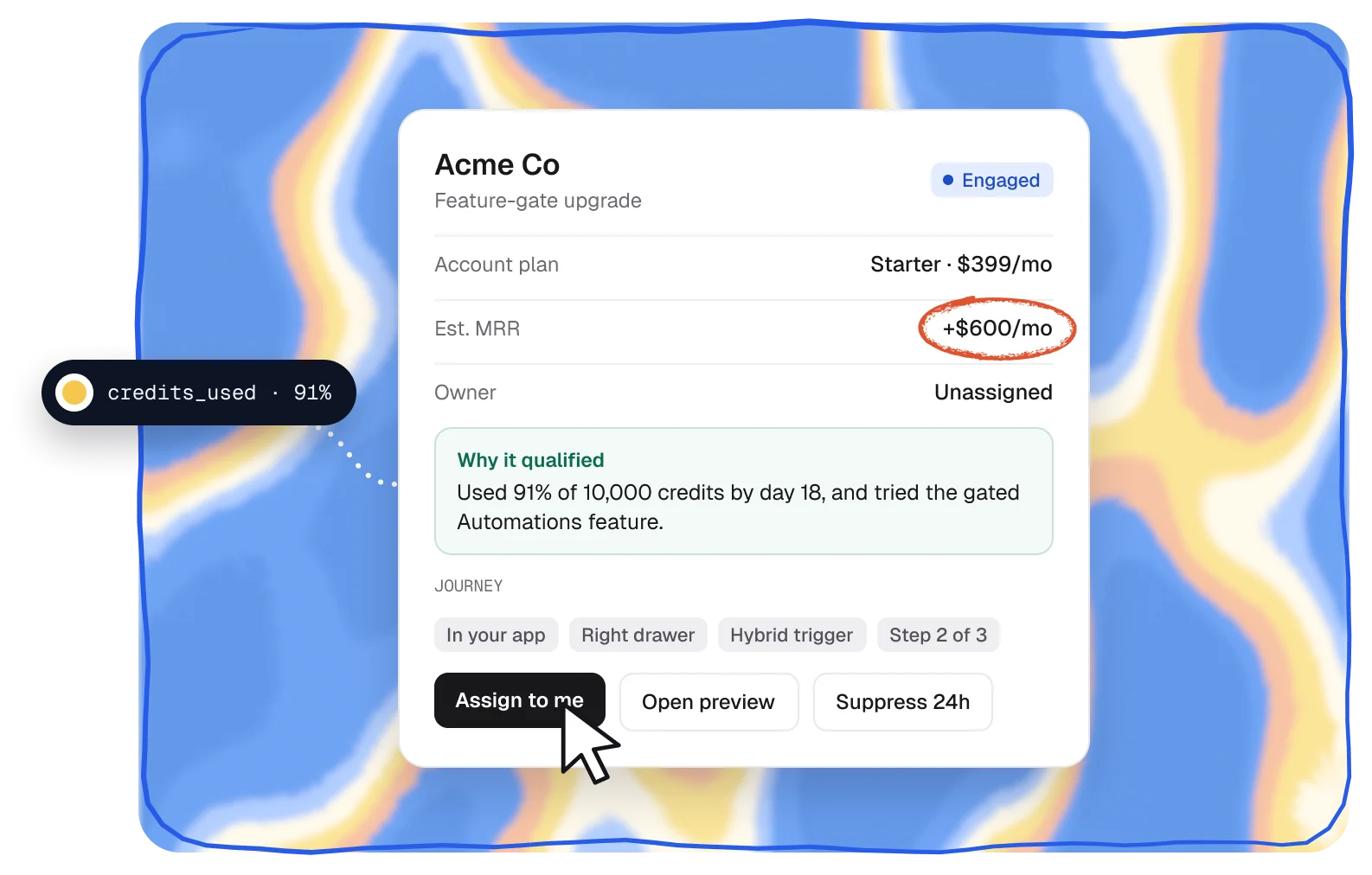
Why it qualified
See why, then act.
Open any Opportunity to see why the account qualified, which Funnel found it and where the customer is in the journey. Assign it, pause it for a day or open a preview.
- Why it qualified, in plain words
- Assign to me, suppress for 24 hours or dismiss
- Preview exactly what the customer will see
Alerts
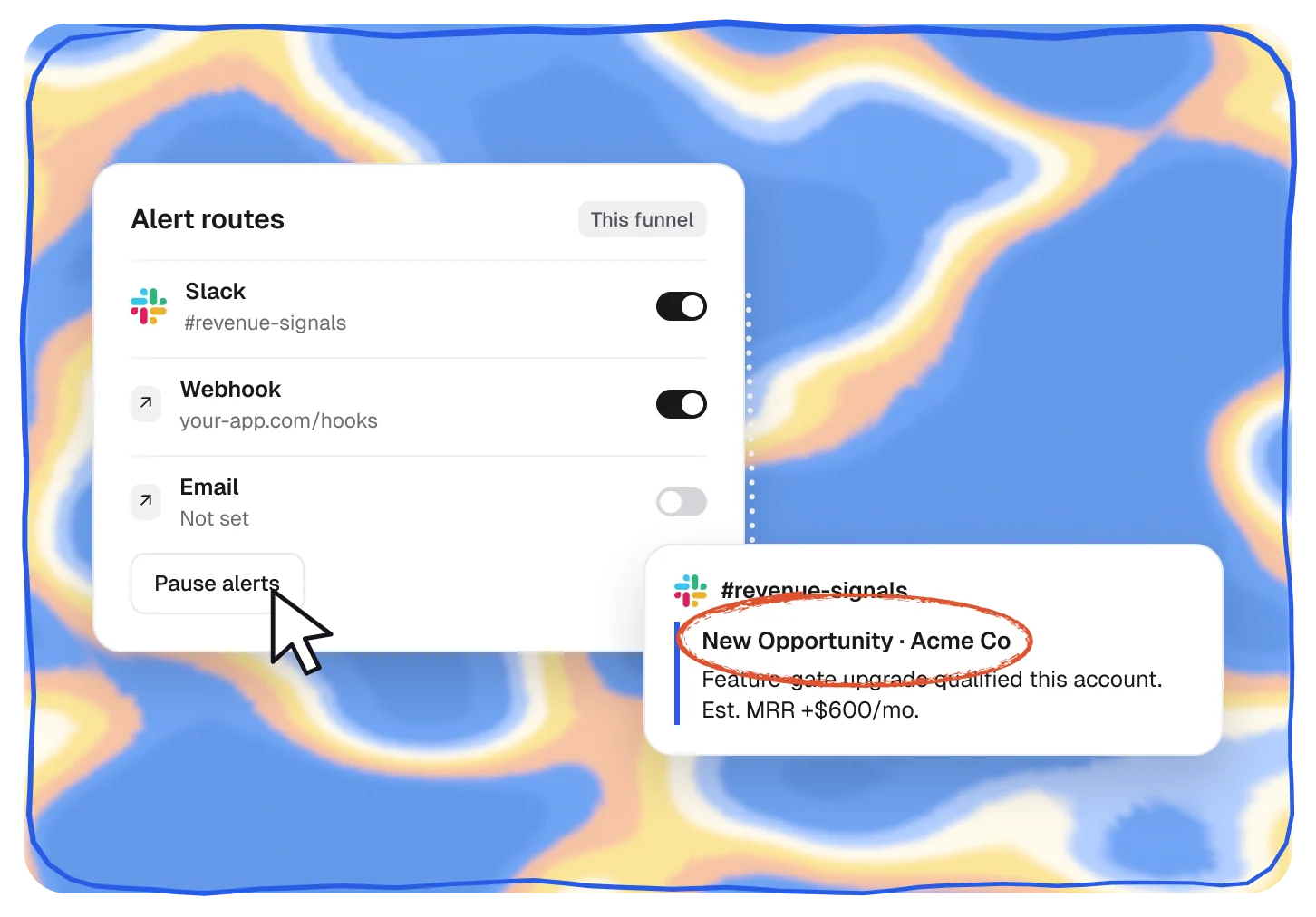
Hear about the big ones.
Send new Opportunities to Slack or your webhook, set for one Funnel or the whole workspace, and pause alerts whenever you need quiet.
- Alert routes per Funnel or for the workspace
- Slack and webhook delivery
- Pause and resume at any time
Builder
Included
Included with Funnels
Launch
Included
Included with Funnels
Traction
Included
Included with Funnels
Scale
Included
Included with Funnels
Pairs well with.
All featuresSignals and events
Product events become signals for who’s ready.
Spot
See Signals and eventsFunnels
Turn a moment into the right offer, in your app.
Act
See FunnelsRevenue attribution
Every dollar confirmed by Stripe.
Prove
See Revenue attribution
Questions,
answered.
What is an Opportunity?
One account a live Funnel found revenue potential in. It follows that account from detected to converted, with estimated MRR, money at risk and what Stripe verified.
How is estimated MRR worked out?
From the account’s plan and what the Funnel offers, like the price difference of an upgrade. Saves show the MRR at risk instead. Only revenue Stripe confirms counts in your results.
Is this a CRM pipeline?
No. Opportunities move on their own as customers see and act on a Funnel. Your team can assign and work them, but nobody has to drag cards.
Can my team get alerts?
Yes. Send new Opportunities to Slack or a webhook, for one Funnel or the whole workspace, and pause alerts any time.
Which plans include Opportunities?
Every plan. Each Funnel you publish feeds the pipeline.